Running accompaniment live
The Section Launcher and reservation-based switching move you safely to the next section, right on the bar.
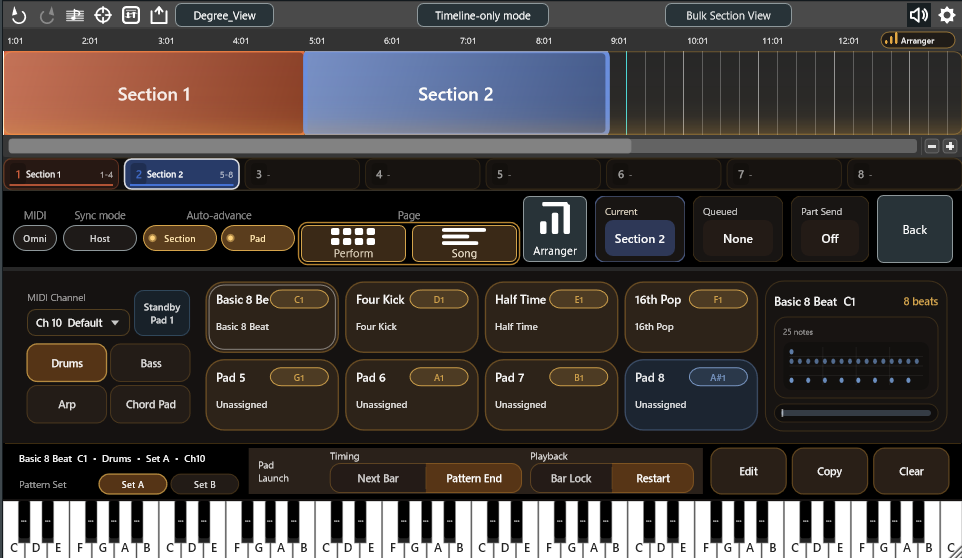
Chord Dock Performance turns the progression you built on the timeline into four-part accompaniment — Drums / Bass / Arp / Chord Pad — that you perform with pads. Your progression becomes the backing for live sets and structure sketching.
All editions share the same installer. Enter the license key issued after purchase to unlock the features. Each license covers up to 2 devices per account.
Before buying, you can try the Arranger Mode demo in Lite / Extended (90 seconds of playback, Pads 1–3 per part).
Chord Dock 2.0 overview, including Arranger Mode (English).
Create patterns for Drums / Bass / Arp / Chord Pad per section and assign them to pads (8 pads × 2 pattern sets per part). Role-based patterns follow chord changes automatically, and per-part style presets plus random generation get you a solid starting point fast.
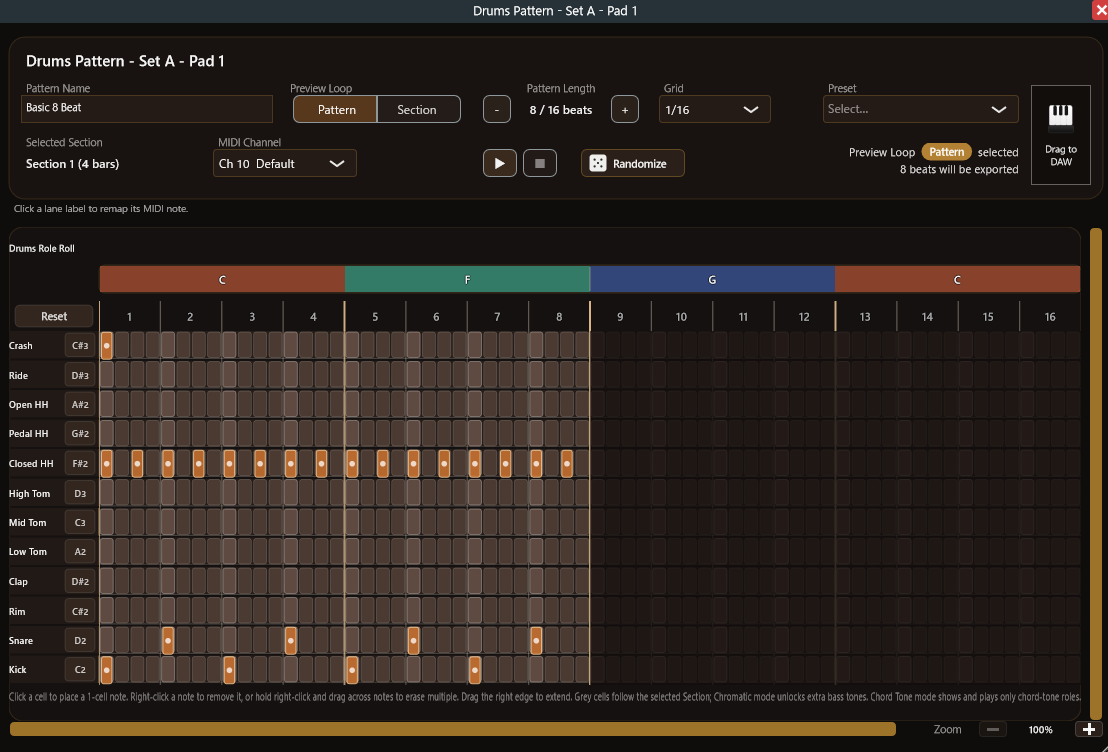
Drums uses a lane-based step editor (GM defaults, remappable). Bass offers two ways to edit — a Chord-Role Sequencer and a full MIDI Roll — while Arp / Chord Pad use role-lane editing. Every pattern can be dragged out as MIDI.
Queue sections with a click, number keys 1–8, or MIDI notes. Sections switch with Launch Quantize (Next Bar / Section End); pads have their own switch timing (Next Bar / Pattern End) and playback position (Bar Lock / Restart). Auto Advance and Standby Pad 1 are included, and Sync Mode (Host / Plugin) lets you follow the DAW timeline or let Chord Dock lead.


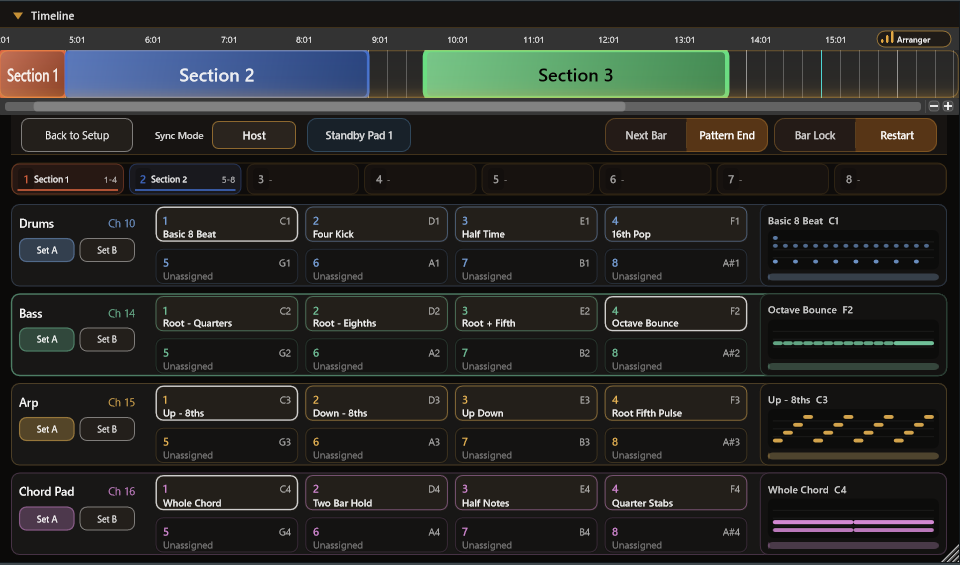
A dedicated performing view with all 4 parts × 8 pads (32 pads) on one screen. Queue sections while shaping the arrangement with pad combinations — for live sets and structure experiments alike.
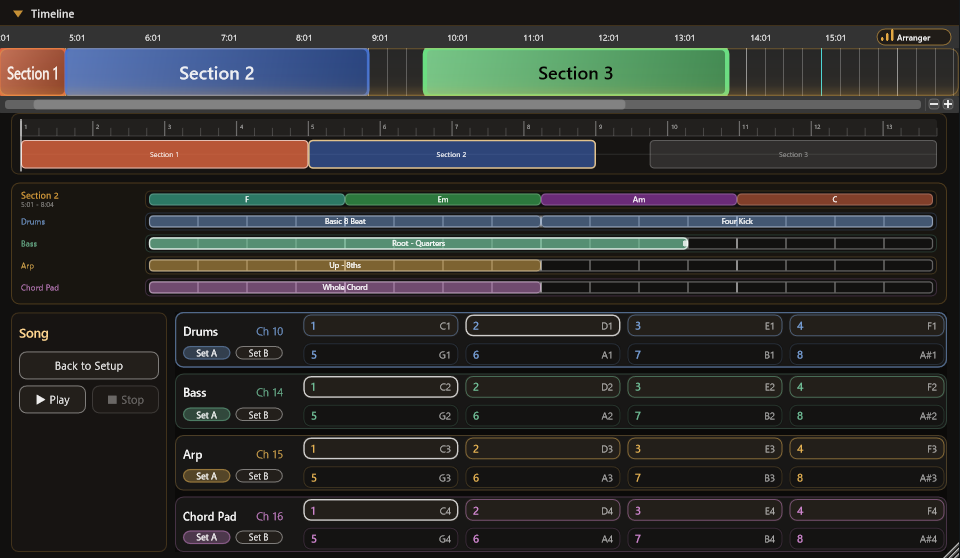
Arrange pad patterns along the song order and check the song end to end — with internal playback while the DAW is stopped, or following host playback. Clip editing is fully undoable.
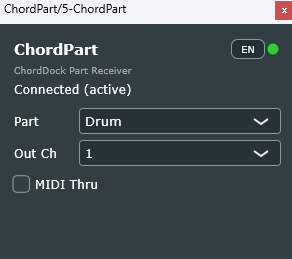
Drop the bundled ChordPart plugin (VST3) on a receiving track and it connects to the main plugin automatically — no wiring. Assign any instrument per part, regardless of how your host routes plugin MIDI. Added latency is constant, at most one audio buffer (128–256 samples recommended).

The Section Launcher and reservation-based switching move you safely to the next section, right on the bar.
Even while the DAW loops a short region, Plugin sync lets pad actions advance the song — ideal for arrangement experiments.
ChordPart sends each part to its own track, so every part can use any instrument — including your DAW's built-in ones.
Perform four-part accompaniment with all 8 pads × 2 pattern sets.
A 32-pad performing view and a song-order overview.
The bundled plugin delivers each part's MIDI to its own DAW track.
Drag any Arranger pattern out of the plugin as MIDI.
All editions share the same installer, which also installs ChordPart alongside the main plugin. Confirm it launches in your usual environment.
You receive a license key after purchase. Each license covers up to 2 devices per account.
Enter the key from the settings menu in the top-right of the plugin, approve the device in your browser, and the Performance features unlock.
ChordPart has no license controls of its own — it follows the main plugin's edition. Keep the main plugin and ChordPart at the same version. For an illustrated walkthrough, see the activation guide on the home page and the FAQ.